Flat wall
Best for practicing dominant-color matching. Watch for silhouette breaks.
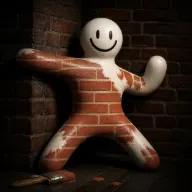
Painting is not only pick the closest color. A believable hide usually comes from four decisions working together: surface choice, color match, pattern feel, and pose/silhouette. This MECCHA CHAMELEON painting guide now pairs original practice prompts with official Steam screenshots so the paint UI and room-reading advice are easier to apply.
A good camouflage decision should pass a fast scan: the object looks like it belongs there, the main color is close, the pattern does not scream player, and the pose does not break the silhouette. Treat this as practice guidance, not guaranteed-win advice.
Use the official screenshots below as visual anchors: first confirm the paint UI, then compare surface color, silhouette, clutter, and seeker sightline before calling a hide good.
Official paint visuals
These official Steam screenshots are selected for the painting workflow: paint interface, surface matching, and room-reading. Use them as visual context while following the checklist below.
Use the practice checklist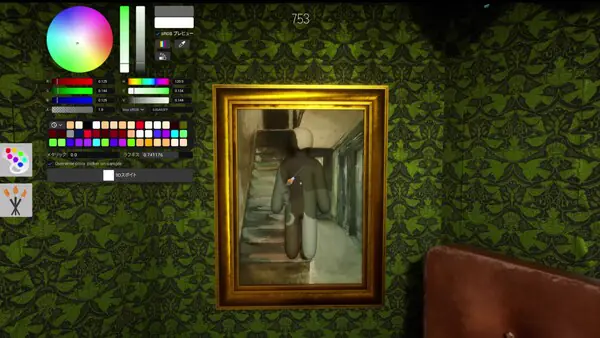
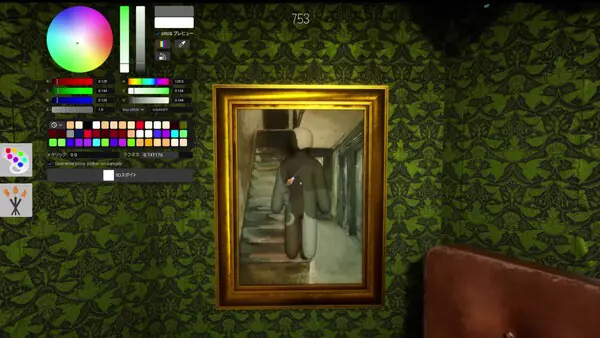

Official Steam screenshotsOfficial Steam screenshots selected for paint UI, surface match, and room-reading practice
Pick a believable surface first. Color matching is weaker if the object is in a place where it would never appear.
Match the dominant color before chasing small details. A close base color helps during quick seeker scans.
Check pattern and texture feel. Smooth, striped, tiled, or noisy surfaces ask for different visual rhythm.
Freeze the silhouette. A perfect color can still fail if the pose or outline looks unnatural.
Use these pattern cards as quick prompts after a failed hide: decide whether the problem was dominant color, repeated lines, busy clutter, or an exposed edge, then test that one mistake next round.
Best for practicing dominant-color matching. Watch for silhouette breaks.
Match rhythm before details; repeated lines expose odd poses quickly.
Strong pattern noise can hide color mistakes, but movement becomes more obvious.
Edges make outlines easier to spot; avoid poses that stick out.
Choosing an impossible location because the color feels close.
Matching one tiny detail instead of the dominant surface color.
Ignoring pattern direction.
Moving late after a decent hide.
Treating one map or clip as universal advice.
Can I explain why this object belongs here?
Is my dominant color close enough for a quick scan?
Does the pattern direction match the background?
Does the outline look natural from the seeker path?
Am I relying on a trick that may change after an update?
Painting guides and controls guides both point to the same workflow: open paint controls, sample or choose a nearby surface color, adjust the body, then check whether the pose still reads like a player. The guide should teach that loop instead of only saying "match the color."
A MECCHA CHAMELEON painting guide should keep color, texture, pose, and movement together. If the body color matches but the silhouette looks like a player, the MECCHA CHAMELEON painting decision still failed.
Control step: use F for paint mode and R for pose changes, then verify left mouse and middle mouse behavior in the current UI.
Placement: would a normal object plausibly sit here?
Silhouette: does the outline create limbs, a head shape, or a long unnatural edge?
Dominant color: does the first glance feel close enough, even if small details differ?
Pattern rhythm: do stripes, tiles, clutter, or shadow direction make your body stand out?
Motion: can you stay still when the seeker enters the scan path?
Check it from the seeker path, not only from your own camera. A useful color choice makes the first scan slower, but it still fails if the pose, edge, or object placement reads like a player.
Look for the paint UI state, dominant surface color, object density, path the seeker would walk, and whether the body outline breaks the room pattern.
Use Camo Lab Lite for static practice prompts, then review Tips & Tricks for post-round answer checks.