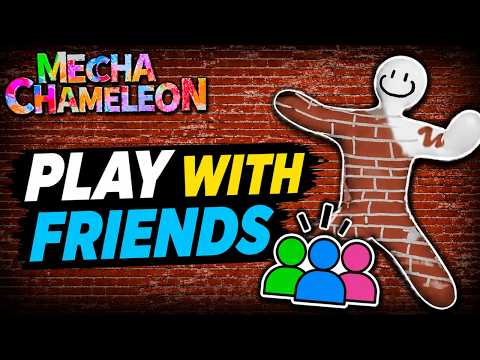
Paint Note #01
Title idea
Learning MECCHA CHAMELEON with friends - first Basic rounds

Streaming a friend or viewer lobby works best when the setup is clear before the room goes live. Use this MECCHA CHAMELEON streamer setup checklist to prepare your title, lobby plan, overlay crop, private invite channel, video warm-up, and fallback checks.
Confirm the game version and mode with your group.
Use a short friends/setup video as a viewer-friendly explanation before revealing any room details.
Decide whether viewers are watching only or joining.
Keep room names, passwords, invite links, Steam IDs, and Discord handles off public overlays.
Prepare a short stream title that says what viewers can expect without implying official status.
Keep the lobby troubleshooting page open for low-risk checks if joining fails.
Friends video
A short friends-focused video is a better warm-up for viewer lobbies than replaying the official trailer everywhere. Use it for context, then switch to the overlay checklist before any room name, password, invite, or Steam ID appears on stream.
Prepare viewer lobbyembed_or_linkCommunity YouTube friends/setup video embedded with source fallback.
Learning MECCHA CHAMELEON with friends - first Basic rounds
Viewer lobby night: rules on stream, room details shared privately
Crop lobby fields before showing room name, password, invite links, or player identifiers.
| Step | Player-facing note |
|---|---|
| Explain who can join | State whether viewers are watching, rotating in, or joining a fixed friend room. |
| Share sensitive details privately | Use your own private channel for room name, password, invite link, Steam ID, or Discord handle exchange. |
| Check version/mode | Match setup can change after updates; verify current game state. |
| Have a fallback plan | If joining fails, use low-risk checks and avoid guaranteed-fix tools. |
Before switching scenes, crop or cover the room name, password, invite link, Steam profile details, Discord handles, and chat fields. Recheck the overlay after changing map, mode, password, or player count.
A useful stream runbook is simple: video or rules first, lobby fields second, viewer join path third, fallback checklist last. That order gives viewers enough context without exposing private room details too early. Keep a short written fallback line on hand so you can explain a failed invite without improvising sensitive details live.
Streamer content should account for actual server fields: server name, optional password, tags, Steam friend invites, player-count choices, and custom-map selection if Workshop maps are used. The safest stream plan hides sensitive fields and explains the room rules before viewers join.
A MECCHA CHAMELEON streamer setup should be boring in the best way: verify the room, hide private details, explain the rules, then bring viewers in through your chosen channel. The MECCHA CHAMELEON streamer setup guidance here is privacy-first because public passwords, Steam IDs, Discord handles, or room names can turn a simple viewer lobby into a moderation problem.
Use the streamer setup checklist again after changing mode, map, password, or player count; those are the moments when private details are easiest to expose on screen. Recheck overlays too.
| Moment | Do | Avoid |
|---|---|---|
| Before stream | Verify mode, version, server name, password plan, tags, player count, map, and viewer rules. | Starting with a password or private room details visible on the waiting screen. |
| Explaining the game | Use the official trailer or a brief role explanation. | Overpromising support, keys, files, or official access. |
| Viewer joining | Use Steam friend invite or private sharing through your own chosen channel. | Collecting Steam IDs, Discord handles, or passwords on this site. |
| Troubleshooting | Use the lobby checklist and keep changes reversible. | Promoting paid repair tools or credential requests. |
Run one private-room rehearsal: open the trailer or role explanation, create the lobby, crop private fields, test invite flow, confirm mode/map/player count, and rehearse the fallback if joining fails.
Keep room names, passwords, invite links, Steam IDs, and Discord handles in your own private group channel, then use the stream page only as a runbook for what to verify.
Keep them off the public scene. If a field appears after changing lobby settings, pause the scene switch and crop again before inviting viewers.