MECCHA CHAMELEON Official & Community Resources

Use this MECCHA CHAMELEON resources page as a practical jump point to the Steam Store, official YouTube trailer, Steam Community, Workshop, news, guides, and compatibility reports. The MECCHA CHAMELEON resources list is organized by user task: install, watch, patch-check, map-discover, troubleshoot, or research Steam Deck/Linux behavior. Keep MECCHA CHAMELEON resources task-based so official links, community reports, and patch context stay separate. Reopen MECCHA CHAMELEON resources when a search result mixes official links with outdated community advice.
Official first
Start from official sources before community links.
Use the Steam page, official trailer, and Steam Community Hub as the safest starting points. Community links should be clearly labeled and never presented as downloads.
Open official source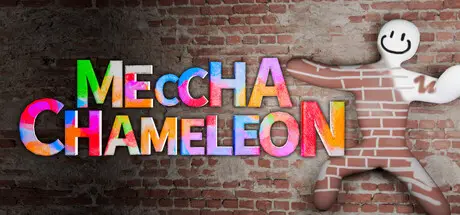

Resource jump points by task
Official Steam Store
Use Steam for the game page and purchase/install route.
Best for purchase, install, system info, screenshots, and current store copy.visual loopOfficial YouTube trailer
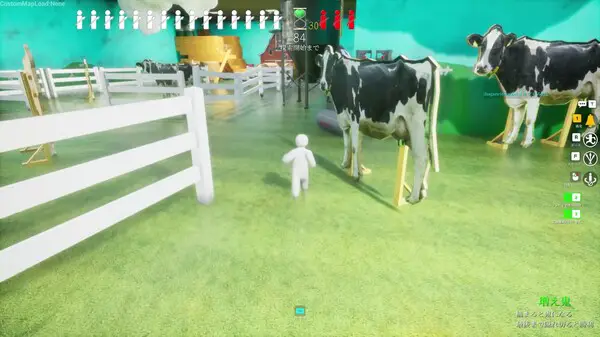
Watch the paint, pose, hide, and search loop before reading a guide.
Best for seeing paint, pose, hiding, and seeker pressure before reading a checklist.community hubSteam Community Hub
Community discussions, announcements, and related surfaces start here.
Best for current discussions, announcements, guides, screenshots, and Workshop entry points.current issue checksSteam Discussions
Useful for current issues and community context.
Best for checking whether a lobby, input, or patch issue is affecting other players today.player-written guidesSteam Guides
Player-created guidance can be useful context when source-stamped.
Best for comparing player tips against your own room test and the current Settings screen.custom-map discoverySteam Workshop
Use Workshop as the current source surface for custom-map discovery.
Best for checking map author, update date, screenshots, and subscription path through Steam.custom-map checklistWorkshop & Custom Maps Guide
Use the on-site Workshop checklist before trusting a community map in a group session.
Best for turning Workshop discovery into a private-room test with friends.patch contextSteam News / announcements
Use announcement surfaces as source candidates before writing update rows.
Best for deciding which map, mode, server, paint, or platform behavior to retest after an update.mode updateReverse Chicken Race Guide
Use the dedicated page as a cautious update-to-mode checklist.
Best for checking the update2.4.0 mode without inventing exact scoring details.Deck/Linux reportsProtonDB app page
Community compatibility reports for Steam Deck/Linux checks.
Best for comparing report date, Proton version, hardware, FPS target, and input notes.practice ideasVideo and guide discovery
Use video results as ideas, then verify controls, modes, and map claims against current sources.
Best for finding hide/seek ideas, then turning one idea into a private-room test.Resource triage in 30 seconds
Match the link to the job: Steam Store for install, official trailer for the gameplay loop, Steam News for patch claims, Steam Workshop for map discovery, Steam Discussions for current issues, and ProtonDB for Steam Deck/Linux reports.
How to use community links
Before repeating a community claim, check the date, game version, platform, room mode, and whether the author tested the exact action you care about. If two sources disagree, turn the claim into a private-room test instead of copying it into a permanent rule.
A good MECCHA CHAMELEON resources workflow is: official page first, official or platform-hosted media second, community reports third, then your own in-game check before publishing a specific guide claim.
How to judge a resource
The wider search landscape includes useful guides for controls, servers, max players, tips, and custom maps, mixed with risky access or download framing. Use this triage before trusting a link or turning it into site copy.
Official resources are best for purchase, install, media, current community surfaces, and update context. Third-party guides are useful for cross-checking controls, private rooms, max players, tips, Workshop ideas, and compatibility reports, but they should not replace current game settings or Steam pages.
When two sources disagree, prefer the more current official or community surface and keep the older claim as a prompt to recheck. A good resource list labels why each source matters instead of forcing readers to guess which link is safe.
| Resource type | Use it for | Red flag |
|---|---|---|
| Steam Store | Purchase, install, official media, and base facts. | A third-party page pretending to replace Steam. |
| Steam Community, Guides, Workshop, News | Current discussions, player context, Workshop maps, and update surfaces. | Undated claims copied into a permanent guide. |
| Controls guides | Cross-check PC defaults such as WASD, Ctrl, Space, Shift, F, R, mouse paint actions, T, and Esc. | Treating a third-party table as more authoritative than current game Settings. |
| Server and max-player guides | Check room name, password, tags, Steam invite, player count, and recommended group size. | Collecting room passwords or implying official support. |
| Custom-map guides | Understand Workshop subscription and server map selection concepts. | Hosting map files, SteamCMD packages, or extracted assets. |
| Compatibility reports | Deck/Linux clues with hardware and Proton details. | Universal support claims from one report. |
| Fan or wiki pages | Idea discovery and topic gaps. | Files, keys, APKs, private tools, or official-support wording. |
FAQ
Where should I start if I just want the game?
Start with the Steam Store card. After installing, use the controls page for first-room input checks and the private-server page if you are hosting friends.
How should I compare community guides?
Check the guide date, patch context, platform, room size, and exact action being tested. Then run one private-room check before treating the tip as current.
Can this page include YouTube videos?
Yes. This MECCHA CHAMELEON resources page can link or embed the official YouTube trailer where it helps users understand gameplay. Community videos should still be treated as source context and checked for rights, date, and claim quality.